Photo organizing feels overwhelming for one simple reason: every picture asks you to make a decision, and many of those decisions carry feelings. Multiply that by a few thousand prints in shoeboxes and tens of thousands of images on your phone, and it's no wonder most of us keep putting it off.
The secret isn't finding a perfect system or a free weekend that never comes. It's breaking the job into small, calm steps, keeping only what you love, and making sure the photos that matter are safe. You don't need to sort every image you've ever taken. You need a simple home for your memories and a habit that keeps new ones from piling up. I find it helps to think of this less as a chore and more as an unhurried visit with the past.
This guide is all about how to organize photos, both printed and digital, without feeling overwhelmed. You'll find a step-by-step system for prints, a simple setup for your phone and computer, the 3-2-1 backup rule explained in plain words, a weekend photo sorting plan, and what to do when the memories get heavy.
Make a pot of tea, clear a table and let's begin gently.
Why Photo Organizing Feels So Overwhelming
Photos are different from other clutter. A chipped mug is easy to let go of. A blurry picture of your grandmother laughing is not. Each image can bring up love, grief, nostalgia, embarrassment or guilt, sometimes all within a few minutes. That emotional weight is tiring, and it's why so many people start a photo project with great energy and stop after twenty minutes.
There's also the sheer volume. Many of us have inherited boxes of prints from parents or grandparents, plus our own albums, plus a phone that takes hundreds of photos a month. Without a plan, it can feel like there's no clear place to start and no finish line in sight.
Knowing this helps. If you feel resistance, it doesn't mean you're lazy or disorganized. It means you're human and these photos matter to you. The system below is built to respect that.
Before You Start: Three Gentle Decisions
Make these three decisions before you touch a single photo. They'll save you hours of second-guessing later:
- Decide your goal. Do you want every photo sorted, or do you mainly want your favorites safe and easy to enjoy? For most people, the second goal is far more realistic and far more satisfying.
- Decide your sorting categories. By decade, by year, by person or by event? Pick one main method and stick with it. Decades work best for old family prints; years and events work best for digital photos.
- Decide your time limit. Work in sessions of 45 to 90 minutes. Photo sorting is emotionally tiring, and stopping while you still feel good makes it much easier to come back.
How To Organize Printed Photos
Printed photos need a little physical space and patience, but the process itself is simple. Here are the seven steps.
1. Gather Everything in One Place

Start by collecting all your printed photos into one spot: shoeboxes from the closet, old albums, envelopes from the drawer, frames you've taken down, the pile in your parents' spare room. You can't make good decisions if half your photos are hidden somewhere else.
Choose a space where you can leave things out for a few days, like a dining table or a spare bed. Cover the surface with a clean sheet so photos don't pick up crumbs or scratches. Wash and dry your hands well before handling prints, because oils from your fingers can damage them over time. For very old or precious photos, hold them by the edges.
2. Sort Broadly by Decade or Event
Don't try to put photos in perfect order yet. Do a fast first pass and sort them into broad piles: by decade ("the 80s," "the 90s"), by life stage ("childhood," "college," "first apartment") or by big events ("weddings," "holidays," "trips"). Use sticky notes or index cards to label each pile.
Move quickly here. If you're unsure where something belongs, put it in a "not sure" pile and keep going. The goal of this step is momentum, not accuracy.
3. Choose Your Favorites
Now go through each pile slowly and pull out the photos you truly love: the ones that make you smile, that tell a story, or that capture a person exactly as you remember them. These are your "keepers."
A helpful rule: for each event, aim to keep the best 5 to 10 photos rather than all 36 from the roll. You don't need eight nearly identical shots of the same birthday cake. Keeping only the best ones makes them more special, not less.
4. Let Go of What You Don't Need
Once your favorites are chosen, look at what's left. Blurry photos, duplicates, photos of people you don't know, scenery shots that mean nothing to you now and photos that bring up painful memories you don't want to keep can usually go.
If letting go feels hard, you can offer duplicates to family members, or keep a small "maybe" box and revisit it in six months. My guide on how to declutter sentimental items has more gentle ways to make these decisions without guilt.
5. Store Them in Archival Boxes
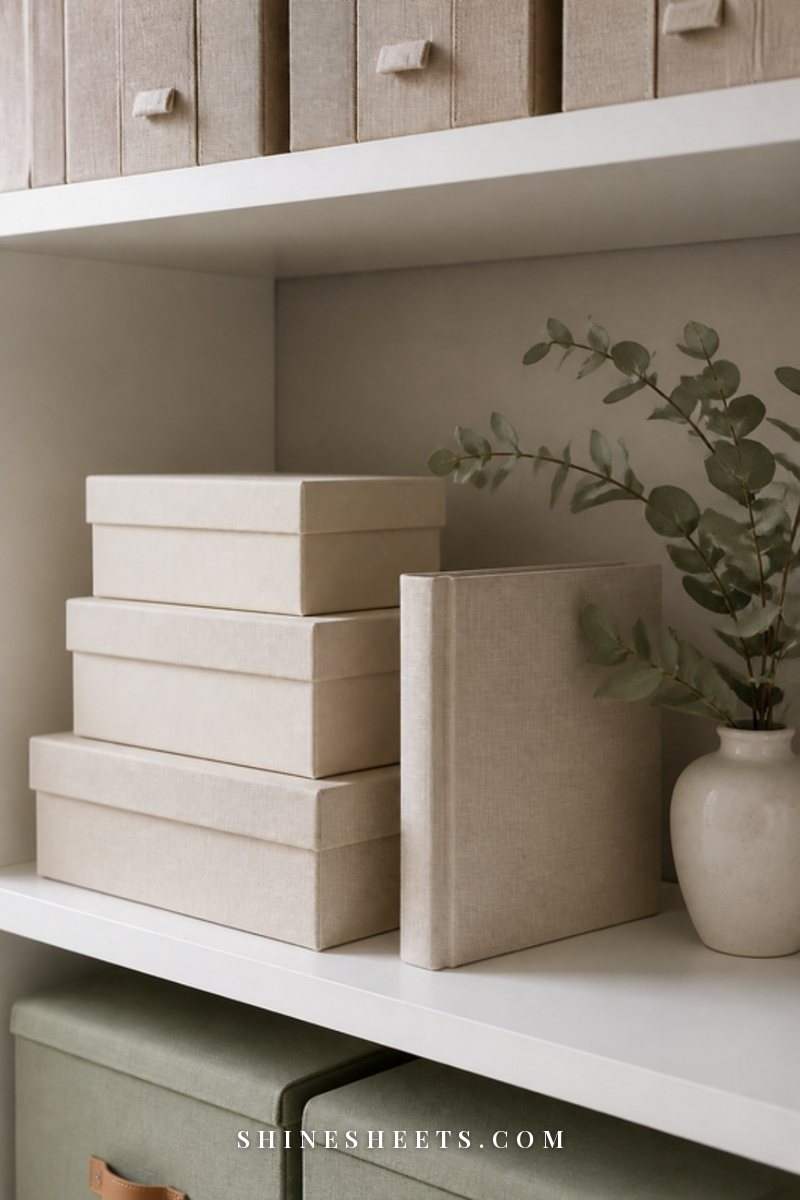
Old shoeboxes, plastic bags and "magnetic" sticky albums can damage photos over time with acids, moisture and chemicals. Instead, store prints in archival photo storage boxes that are acid-free and lignin-free. Many come with small inner cases and divider cards, which makes it easy to keep each decade or event separate.
Store the boxes somewhere cool, dry and dark, like a bedroom closet shelf. Avoid attics, basements and garages, where temperature swings and humidity can cause fading, curling and mold. Keep them off the floor in case of leaks.
6. Label the Backs With a Photo-Safe Pen
Future you (and your family) will be grateful for a few words on the back of important photos. Write who's in the picture, where it was taken and the approximate year. Use a photo-safe archival pen designed for photo backs, write lightly near the edge, and let the ink dry completely before stacking.
Never use ballpoint pens (they can press through and leave dents) or regular markers (they can bleed or smudge onto the photo below). For box labels and dividers, a small label maker keeps everything neat and easy to read at a glance.
7. Digitize the Best Ones
Digitizing your favorite prints protects them from loss and makes them easy to share. You don't need to scan everything. Start with the keepers, especially photos you have only one copy of.
A simple photo scanner for prints is the most reliable option for larger collections, and many scan a stack of photos quickly. For small batches, a scanning app on your phone in good, even daylight works surprisingly well. Scan at a decent resolution (300 dpi for standard prints, 600 dpi if you might enlarge them), and name the files with the year and event so they slot straight into your digital system.
How To Organize Digital Photos
Digital photos don't take up shelf space, which is exactly why they pile up so fast. Here's a simple six-step system that works whether you have five thousand photos or fifty thousand.
1. Choose One Home for Everything
Digital photos often live in a dozen places: your phone, an old phone, a laptop, a few memory cards, a cloud account you forgot about and your messaging apps. Pick one main home, usually a cloud photo service or a single folder on your computer, and move everything there over time.
This step can take a few sessions, and that's fine. Start with the most recent device and work backward.
2. Delete Duplicates, Blurry Shots and Screenshots
This is the fastest way to shrink your collection. Many photo apps have built-in tools that find duplicates and similar photos. Then scroll through and delete:
- screenshots you no longer need (recipes, directions, receipts, memes),
- blurry, dark or accidental photos,
- bursts where you only need the best frame,
- photos of things like parking spots, products and whiteboards.
You'll often find that a third or more of your photos can go. If your whole digital life feels cluttered, my digital declutter guide covers files, apps and email too.
3. Create Folders by Year and Event
Keep the structure simple. A main folder for each year, with sub-folders for events inside it, works for almost everyone. Name folders so they sort in order, starting with the year and month, then the event, for example a "year-month trip to the coast" folder or a "year-month Sam's wedding" folder.
If you use a photo app that organizes by date automatically, use albums for events instead of folders. Either way, the principle is the same: by year first, then by event.
4. Make a Favorites Album
This is the most important step and the most joyful one. Create one album called "Favorites" (or one per year) and add the photos you'd grab first in an emergency. Use your app's heart or star feature as you go through each year.
Your favorites album is what you'll actually look at, share and print. Everything else is the archive. Keeping them separate means you can enjoy your memories without scrolling past thousands of near-duplicates.
5. Back Up With the 3-2-1 Rule
Photos that only exist in one place aren't really safe. Phones get lost, laptops fail and accounts get locked. The 3-2-1 rule is the simplest way to protect what matters:
- 3 copies of your photos (the original plus two backups),
- on 2 different types of storage (for example, your computer and an external drive),
- with 1 copy kept somewhere else, like a cloud service or a drive stored at a family member's home.
A small portable SSD is a compact, fast option for a home backup. Plug it in once a month, copy your new photos across and store it in a drawer away from your computer. If you keep a household binder of important information, add a page noting where your backups live and how to access them. My guide to creating a home management binder shows how to set one up.
6. Keep a Monthly 10-Minute Habit
Once your collection is organized, the real secret is keeping it that way. Set a gentle monthly reminder and spend ten minutes on these three tasks:
- Delete the month's screenshots, duplicates and blurry shots.
- Heart your favorites and add them to your favorites album.
- Run your backup.
Ten minutes a month is so much easier than a giant project every few years. It pairs nicely with a monthly reset, a cup of tea and a candle.
Your Weekend Photo Sorting Plan
If you'd like to make real progress in one weekend, here's a calm plan that balances printed and digital photos without wearing you out. Screenshot it and adjust the times to fit your life.
| When | Task | Time | Done when |
|---|---|---|---|
| Friday evening | Gather all printed photos in one place, clear a table, set up boxes and sticky notes | 45 minutes | Everything is in one room |
| Saturday morning | Fast sort of prints into broad piles by decade or event | 90 minutes | Every photo is in a labeled pile |
| Saturday afternoon | Choose favorites from each pile, let go of blurry shots and duplicates | 90 minutes | Keepers are separated |
| Saturday evening | Rest. Look through your favorites with a cup of tea, no sorting | As long as you like | You feel good about the day |
| Sunday morning | Label backs of key photos, place prints in archival boxes, label boxes | 60 minutes | Boxes are on the shelf |
| Sunday midday | Digital: delete screenshots and duplicates from your phone | 45 minutes | Phone library is noticeably lighter |
| Sunday afternoon | Digital: create year folders, make a favorites album, run your first backup | 60 minutes | One backup exists outside your phone |
| Next weekend | Start scanning the best prints in small batches | 30–60 minutes | Your first batch is digitized |
If the whole weekend feels like too much, spread these steps across a month of Saturdays. Same result, gentler pace.
When Sentimental Overwhelm Hits
At some point, a photo will stop you in your tracks. Maybe it's someone you've lost, a relationship that ended or a version of yourself you miss. That's okay. It's a normal part of this process, and it's one of the reasons photo organizing deserves to go slowly.
A few things that help:
- Pause when you need to. Put the photo aside, make a cup of tea and step outside for a few minutes. The pile will wait.
- Make a "come back later" envelope for photos that are too hard to decide about right now. There's no deadline on grief.
- Sort with someone. Looking through old photos with a sibling, parent or friend can turn a heavy task into an afternoon of stories.
- Write down the memories. Sometimes the urge to keep every photo is really an urge not to forget. A few lines in a journal about what that day was like can feel more meaningful than twenty extra prints.
- Remember the goal. You're not erasing anything. You're making room for the photos that matter most to be seen and enjoyed.
Common Photo Organizing Mistakes
A few small missteps can make photo organizing feel harder than it needs to be. Here's what to watch for:
- Trying to finish everything at once. A marathon session usually ends in burnout and a half-sorted table. Short, regular sessions get you much further.
- Sorting too precisely too soon. Putting every print in exact date order on the first pass is slow and draining. Go broad first, then refine only your favorites.
- Keeping everything "just in case." A huge archive you never look at isn't really preserving memories. A smaller, well-loved collection is.
- Storing prints in the wrong place. Attics, basements, plastic bags and sunny shelves can quietly ruin photos over a few years.
- Relying on one device. If your only copy is on your phone, one lost phone means lost memories. Back up before you feel ready.
- Forgetting the stories. A photo without a name or date can become a mystery within a generation. A few words on the back or in a caption makes a big difference.
- Waiting until you have time. You'll rarely have a free week. Ten minutes this evening is a perfectly good start.
If you're handling a box of family photos for relatives, it can also help to agree on who keeps the originals and who gets digital copies before you start. That one conversation prevents a lot of uncertainty later.
Making Albums and Photo Books

Once your favorites are chosen, give them a home where they'll actually be enjoyed. A well-made album or photo book turns a box of keepers into something you'll want to pull off the shelf.
For printed photos, a linen photo album with acid-free pages is a beautiful, timeless option. Choose slip-in pockets for the easiest setup, or plain pages with photo corners if you like adding small handwritten notes beside each picture. Avoid old-style "magnetic" self-stick pages, which can yellow and damage photos.
For digital favorites, a printed photo book is a lovely way to finish each year. A few tips:
- Keep it to the best 40–80 photos per year. A smaller, curated book is much more enjoyable than a huge one.
- Choose a simple, consistent layout, like one large photo per page with a few collage spreads for big events.
- Add short captions with names, places and little details you'd otherwise forget.
- Make it a yearly ritual. Create the book in the first weeks of the new year, using your favorites album from the year before.
Displaying Your Favorite Photos

Your very favorite photos deserve to be out where you can see them every day. A few framed prints on a shelf, a small arrangement on a console or a full gallery wall can turn memories into part of your home's story.
Keep framed photos out of direct sunlight to prevent fading, and consider printing a copy for display while the original stays safe in its archival box. If you'd like to create a wall of frames, my guide to gallery wall ideas walks you through layouts, spacing and mixing photos with art.
Rotating a few frames each season is a simple way to enjoy more of your collection without adding clutter.
Final Thoughts
Organizing photos isn't about perfection. It's about making sure the memories you love are safe, easy to find and actually enjoyed, instead of hidden in boxes and buried on your phone.
Start small: one box, one year of digital photos, one favorites album. Every photo you sort is a little gift to your future self and to the people who'll look through these memories long after today.