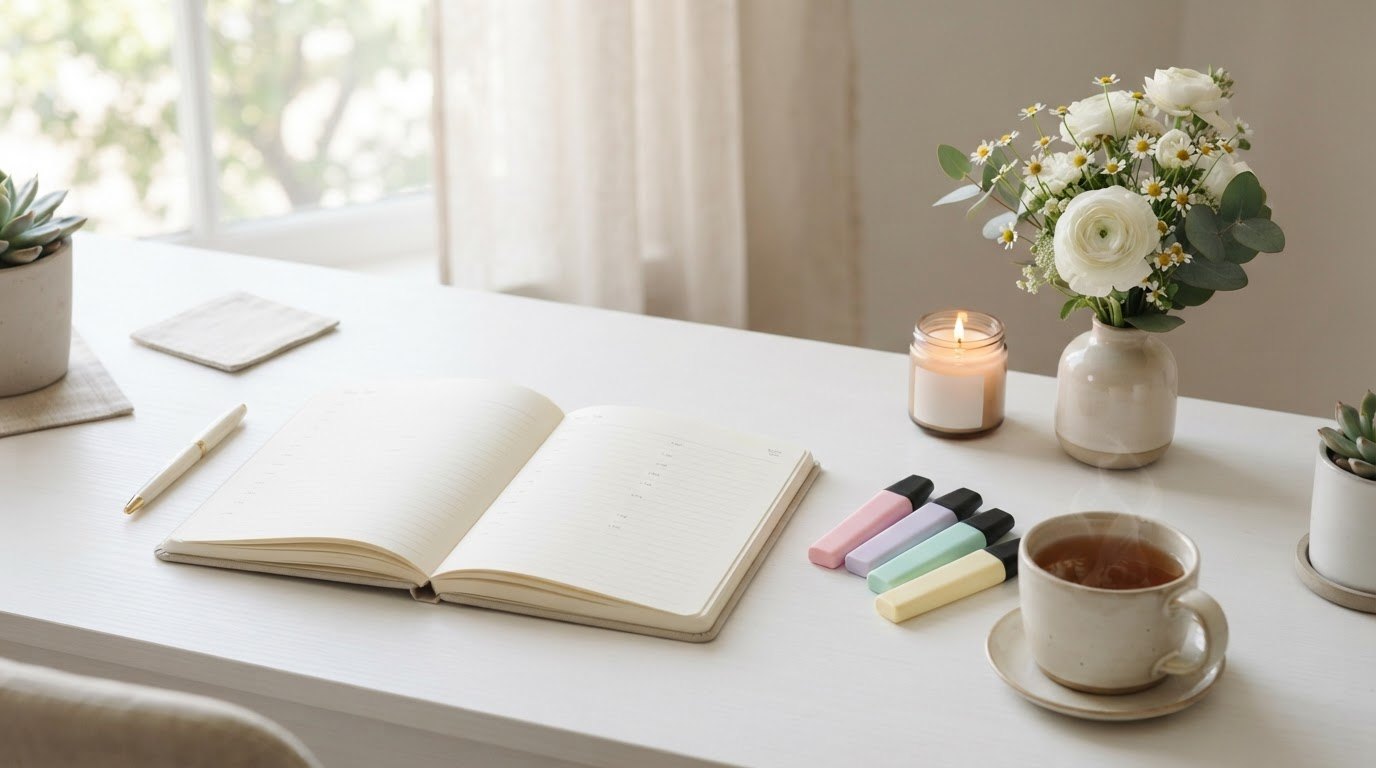
Time blocking isn't about squeezing more work into your day. It's about deciding, ahead of time, where your hours are going to go – so they stop quietly disappearing into email, little errands and "just one more quick thing."
A to-do list tells you what to do. A time-blocked day tells you when. That small shift is surprisingly calming, because you're no longer staring at a list of twenty tasks and trying to decide, over and over again, which one deserves your attention right now.
This guide is a soft, realistic introduction to time blocking for beginners. You'll learn what it is, how to set up your first time-blocked day in eight simple steps, a set of buffer and rest rules that keep your plan human, and a sample day for three different lifestyles – a 9-to-5, working from home and a flexible, student-style schedule. Rest is built in everywhere. That part isn't optional.

What Is Time Blocking?
Time blocking means dividing your day into chunks of time and giving each chunk one job. Instead of "work on the report sometime today," you write "10:00–11:30: report draft." Instead of hoping you'll find time to rest, you write "3:00–3:20: walk and tea."
A block can be work, but it can also be laundry, a phone call to your mom, a slow lunch, a workout or an hour of reading. Anything that needs your time can have a block. The point is that your day stops being a reaction to whatever shows up and becomes something you chose.
It's not a rigid schedule you have to obey. Think of it as a sketch of a good day – one you'll redraw as the day actually unfolds. That flexibility is what makes it work for real people, not just productivity gurus with a perfectly quiet house.
Why Time Blocking Works
There are a few reasons this simple method helps so many people feel calmer and get more done:
- Fewer decisions. You decide once, in the morning or the night before, and then you just follow the plan. Your brain saves its energy for the actual work.
- Less multitasking. One block, one job. Switching between tasks constantly is tiring, and a block gives you permission to ignore everything else for a while.
- Honest expectations. When you try to fit your to-do list onto an actual day, you quickly see that eleven tasks won't fit into four free hours. That reality check is a gift, not a failure.
- Protected rest. When rest has its own block, it stops being the thing you do "if there's time left" (and there never is).
I'm prone to anxiety, and a long, unstructured to-do list tends to make my thoughts race. Seeing the day laid out in blocks – with breaks already in it – makes the same amount of work feel far more manageable.
How To Start Time Blocking: 8 Simple Steps
You can set up your first time-blocked day in about fifteen minutes. Do it the evening before or first thing in the morning, with a cup of tea and your calendar open.
1. Pick a Tool You'll Actually Look At
Paper or digital both work. What matters is that you'll see it during the day. Many beginners find paper easier, because writing each block by hand makes you think about it a little more.
A desk planner with an hourly layout that stays open next to your laptop is a lovely place to start. Look for one that's undated (so a messy week doesn't waste pages) with time slots from early morning to evening. If you prefer digital, any calendar app works – just create a separate calendar color for your blocks.
2. Block the Fixed Things First
Start with everything that can't move: meetings, appointments, classes, school pickups, your commute, a standing call. These are the walls of your day.
Once they're on the page, you'll see the real shape of your free time. Often it's a lot less than you thought, and that's useful to know before you start promising yourself a long list of tasks.
3. Add Your Rest and Life Blocks Next
Here's the step most beginners skip, and it's the one that makes time blocking sustainable. Before you add a single work task, block your meals, a short afternoon break, a bit of movement and an evening wind-down.
When rest goes in first, it's protected. When rest goes in last, it gets squeezed out by everything else – and you end up with a beautifully planned day you're far too tired to follow.
4. Choose One Focus Block a Day
A focus block is 60 to 90 minutes for your most important task – the one that needs your full brain. Put it at the time you usually feel sharpest. For many people that's mid-morning; for others it's after lunch.
During a focus block, close your inbox, silence notifications and keep your phone in another room if you can. One deep block a day is enough to move big projects forward. Two is a great day. Three is rarely realistic, so don't plan for it.
5. Batch Small Tasks Together
Emails, messages, quick calls, paying a bill, booking an appointment – these little tasks eat your day when they're scattered everywhere. Instead, give them one or two "admin blocks" of 30 minutes each, often late morning and late afternoon.
When a small task pops up outside its block, write it on a sticky note and save it for later. A pad of pastel sticky notes near your planner makes this an easy habit.
6. Estimate, Then Add Half Again
Most of us underestimate how long things take. A useful beginner rule: estimate the time a task needs, then add 50%. If you think writing a proposal takes an hour, block an hour and a half.
If you finish early, wonderful – you get bonus free time. If you don't, you've avoided the stressful domino effect where every block afterward runs late.
7. Color-Code Gently
Color makes your plan easier to read at a glance. Keep it simple with four or five colors: one for focus work, one for admin, one for meetings, one for rest and personal life, and maybe one for movement.
A set of soft pastel highlighters is perfect for paper planners – they're gentle on the eyes and won't bleed through thin pages. When you look at your week and see very little of your rest color, that's a clear signal to adjust.
8. Review at the End of the Day
Spend five minutes in the evening looking back. Which blocks worked? Which ones ran over? What got moved? Then roughly sketch tomorrow while today is fresh in your mind.
This review is where you get better at time blocking. After a week or two, you'll know how long your tasks really take and when your energy dips – information no planner can give you on day one.
Buffer and Rest Blocks: 7 Gentle Rules
These rules are the difference between a time-blocked day that feels supportive and one that feels like a cage. Screenshot them and keep them nearby while you're learning.
- Never plan more than 70% of your day. The other 30% is for the unexpected – the call that runs long, the task that's harder than it looked, the moment you simply need to breathe.
- Leave 10–15 minutes between blocks. Transitions take time: refilling your water, a bathroom break, switching tabs and switching your head.
- Every 90 minutes of focus earns a real break. At least 10 minutes away from screens – a stretch, a window, a short walk.
- Lunch is a block, not a background activity. At least 30 minutes, away from your desk if possible.
- Add one "catch-up" block each afternoon. A flexible 30–45 minutes for whatever slipped earlier. If nothing slipped, it becomes free time.
- Block your evening wind-down. A clear "work is done" time, followed by something that signals rest: tea, a bath, a book, journaling.
- Rest blocks can't be borrowed. When a work task runs over, move another work task – not your break. Rest only stays protected if you treat it that way.
If you've been running on empty for a while, these rules matter even more. My guide to gentle burnout recovery pairs well with a time-blocked day that has plenty of breathing room.

Sample Time-Blocked Days for 3 Lifestyles
Seeing a real example makes time blocking so much easier to picture. Here's a sample day for three different rhythms. These aren't meant to be copied exactly – use them as a starting shape and adjust to your own hours and energy.
| Time | 9-to-5 office day | Working from home | Flexible or student-style day |
|---|---|---|---|
| 7:00–8:00 | Slow-ish morning, breakfast, get ready | Wake up, tea, short stretch, get dressed | Sleep in a little, breakfast, get ready |
| 8:00–9:00 | Commute: podcast or audiobook | "Fake commute": 15-minute walk, plan the day | Morning walk or gentle workout |
| 9:00–10:30 | Focus block: most important task | Focus block: most important task | Plan the day, then focus block: biggest assignment or project |
| 10:30–10:45 | Buffer: water, stretch | Buffer: away from screen | Buffer: break and snack |
| 10:45–12:00 | Meetings and calls | Admin block: email, messages | Classes, lectures or client calls |
| 12:00–13:00 | Lunch away from desk | Lunch and a short walk outside | Lunch with a friend or a slow solo lunch |
| 13:00–14:30 | Second work block: collaborative tasks | Second focus block or meetings | Study block or second project block |
| 14:30–14:50 | Rest block: tea and a few minutes outside | Rest block: tea, stretch, fresh air | Rest block: walk, tea or a short nap |
| 14:50–16:30 | Admin block, then catch-up block | Admin block, then catch-up block | Errands, appointments or a part-time shift |
| 16:30–17:00 | Daily review and plan tomorrow | Daily review, close laptop, tidy desk | Catch-up block or daily review |
| Evening | Commute, movement, dinner, free time | Workout or walk, dinner, free time | Free time, hobbies, social plans |
| Wind-down | Tea, journaling, reading, lights out | Tea, journaling, reading, lights out | Tea, journaling, reading, lights out |
For the 9-to-5 day: your biggest challenge is meetings breaking up your time. Protect your focus block by marking it as "busy" in your work calendar, and keep your personal blocks (movement, evening, wind-down) just as visible as your work ones.
For working from home: the line between work and life gets blurry fast. The "fake commute" walk and a clear closing ritual – laptop shut, desk tidied, candle lit – help your brain switch off. If your workspace is part of the problem, these calm home office ideas can help.
For a flexible or student-style day: total freedom sounds wonderful but often turns into drifting. Two anchor blocks a day (one focus, one study or project) give your day a shape without making it rigid.
Time Blocking Tools That Make It Easier
You don't need fancy tools to start. A pen and any notebook will do. But a few simple things can make time blocking feel lighter and more pleasant:
- A big-picture view. A minimalist wall calendar keeps deadlines, appointments and plans visible at a glance, so your daily blocks always fit into the bigger month.
- A timer you can see. A visual timer in a soft color shows the remaining time as a shrinking colored disc. It's a gentle way to stay inside a block without constantly checking your phone (which is usually where focus goes to disappear).
- A weekly view. Plan the week's big blocks on Sunday, then fill in the details each morning. My guide on how to plan your week walks you through it, and a short Sunday reset routine is the perfect moment to do it.
What To Do When Your Plan Falls Apart
It will. Not every day, but often enough that you need a plan for it. A meeting runs over, someone needs you, a task turns out to be twice as big, or you simply wake up tired. Here's how to handle it without throwing the whole plan away:
- Re-block, don't abandon. Take two minutes to redraw the rest of the day. Move one or two blocks to tomorrow. A changed plan is still a plan.
- Use your catch-up block. That's exactly what it's for.
- Shrink the block, keep the habit. Can't do 90 minutes of focus? Do 25. Starting small keeps the momentum going.
- Notice patterns. If the same block falls apart every day, it's not you – it's the timing. Move it.
- Be kind about low-energy days. On a hard day, block just three things: one small task, one rest block and one nice thing. That's a perfectly good day.
If you tend to avoid your focus blocks entirely, the problem might be procrastination rather than planning. My guide on how to stop procrastinating has small, gentle ways to get started when starting feels hard.
Your First Week of Time Blocking
Trying to block every hour from day one is the quickest way to burn out on the method. Ease in instead. Here's a gentle five-day ramp-up for your first working week:
- Day 1: Just observe. Don't plan anything new. At the end of the day, write down roughly what you did and when. This shows you where your time really goes (most of us are surprised).
- Day 2: Block the fixed things and your breaks. Meetings, appointments, lunch and one afternoon rest block. Leave everything else open.
- Day 3: Add one focus block. Pick your most important task and give it 60 minutes at your best time of day. Notice how it feels to work on one thing only.
- Day 4: Add admin blocks. Batch emails and small tasks into one or two 30-minute blocks and see how much quieter the rest of the day feels.
- Day 5: Plan the whole day – loosely. Put it all together, follow the 70% rule and do your evening review. Then take the weekend off from planning entirely.
By the end of the week you'll have a rough sense of your rhythm: when you focus best, which tasks always take longer than you think and where your energy dips. That knowledge is worth more than any perfectly color-coded page, and it makes week two noticeably easier.
Common Time Blocking Mistakes Beginners Make
- Planning every minute. A day without white space breaks at the first surprise. Stick to the 70% rule.
- Making blocks too short. Fifteen-minute blocks for everything turn your day into a stopwatch. Most blocks should be 30–90 minutes.
- Forgetting the boring stuff. Commutes, getting ready, cooking, tidying – they all take time. If they're not on the plan, they'll steal time from something that is.
- Treating the plan like a contract. Your plan is a guide. Changing it is part of the method, not proof that it doesn't work.
- Quitting after one bad day. Time blocking is a skill. Give it two full weeks before you decide whether it's for you.
Like most habits, it gets easier with repetition rather than willpower. If consistency is your sticking point, these gentle ways to be more disciplined might help it stick.
Final Thoughts
Time blocking isn't about becoming a perfectly efficient machine. It's about giving your hours a little intention – deciding what matters, protecting your rest and letting the rest of the list wait without guilt.
Start with one day. Block the fixed things, add your rest, choose one focus block and leave plenty of space around it. Redraw it as many times as you need. A gentle, imperfect plan you actually follow will always serve you better than a perfect one you abandon by lunch.