Paper clutter rarely comes from having too much paper. It comes from not knowing where each piece is supposed to go next. A bill, a permission slip, a warranty card and a coupon all land on the same counter, and because none of them has a clear next step, they just stay there and slowly turn into The Pile.
The good news is that the fix is a system, not a personality change. Once every piece of paper has three possible paths (act on it, file it or shred it), the piles stop forming. I've found that the calmest homes aren't the ones with the least mail. They're the ones where the mail has somewhere to go.
This guide walks you through how to organize paperwork at home step by step: one inbox, a quick sort, an action folder, a simple filing system, a "how long to keep it" table, digitizing, safe shredding, keepsakes and a monthly 15-minute paper reset so it all stays that way.
You don't need a free weekend for this. You need one box, one afternoon to start and a little honesty about that drawer you've been avoiding.
Why Paper Piles Up (and Why It's Not Your Fault)
Paperwork is tricky because it asks for a decision every single time. Is this important? Do I need to pay it? Will I need it in April? When you're tired, the easiest decision is "later," and "later" quietly becomes a stack on the kitchen island.
There are usually three culprits behind paper piles:
- No landing spot. Mail gets set down wherever your hands happen to be: the counter, the couch arm, the top of the fridge.
- Unclear next steps. A paper that needs action looks exactly like a paper that needs filing, so both get ignored.
- Fear of tossing the wrong thing. If you're not sure how long to keep a document, keeping everything feels safer (even when it makes finding anything impossible).
Every step below tackles one of these. Gentle reminder: you are not "bad at adulting." You simply haven't had a system yet, and most of us were never taught one.
Step 1: Set Up One Paper Inbox

The first rule of paper organization is simple: every piece of paper that enters your home goes to one place. Not three places. One.
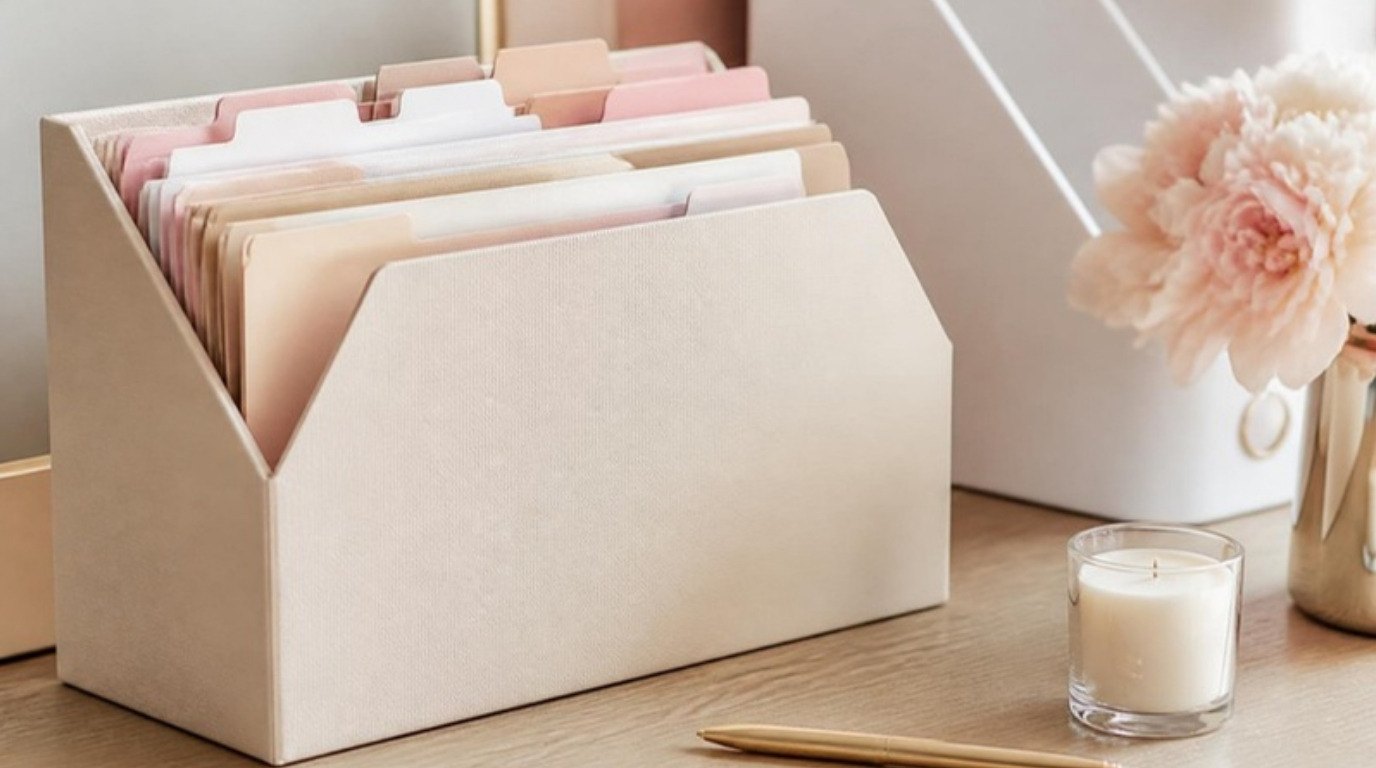
Choose a spot close to where you naturally drop things, usually the entryway, the kitchen or your desk. Then give it a container that is pretty enough that you'll actually use it: a shallow tray, a woven basket or a wall pocket. A cream desktop file holder with a couple of slots works beautifully here, because it keeps papers upright and visible instead of buried in a heap.
A few inbox rules that make all the difference:
- Recycle junk mail on the spot. Catalogs, flyers and credit card offers never even touch the inbox. Keep a recycling bin (and a small shred pile) right next to it.
- Open envelopes immediately. Toss the outer envelope and inserts, keep only the actual document. This alone cuts the pile in half.
- Everything else goes in the inbox. Bills, letters, forms, receipts you need, school papers, appointment cards.
The inbox is not storage. It's a waiting room. Its only job is to hold papers until you sort them, ideally once or twice a week.
Step 2: Sort Everything Into Act, File or Shred
When it's time to empty the inbox, pick up each paper once and give it one of three labels. That's it. No fourth "maybe" pile, because "maybe" is how piles are born.
- Act: anything that needs you to do something. Pay, sign, call, RSVP, return, schedule, fill out.
- File: anything you need to keep but don't need to touch right now. Tax documents, insurance policies, medical records, warranties, statements you need for tax season.
- Shred: anything with personal information you no longer need. Old statements past their keep-by date, pre-approved credit offers, expired policies, receipts you've already reconciled.
Everything else (which is a lot of it) simply goes in recycling.
My favorite little trick for this step: set a timer for 10 minutes and sort as fast as you can. Speed keeps you from overthinking every envelope. If you hesitate for more than a few seconds, ask yourself one question: "If I needed this, could I get it again online?" If the answer is yes, you probably don't need to keep the paper copy.
Step 3: Create an Action Folder

The action folder is the heart of the whole system. It's where every "Act" paper lives until it's done, and it's the reason bills stop getting lost under magazines.
Keep it somewhere you'll see it every day: standing in your desk file holder, on the kitchen counter in a pretty folder or clipped to a board above your desk. Inside, you can keep it as simple or as structured as you like:
- Simple version: one folder, everything in it, sorted by due date with the most urgent at the front.
- Structured version: three sections, "To Pay," "To Do" and "Waiting On" (for rebates, refunds or replies you're expecting).
Then pair it with a tiny habit. Twice a week (Sunday evening and Wednesday works well for me), open the folder, handle whatever you can in 15 minutes and put any deadlines straight into your planner or calendar. If you like a weekly rhythm, my guide on budgeting for beginners has a simple money date that pairs perfectly with paying the bills in your action folder.
Once an action is finished, the paper moves on: to the file, to the shredder or to recycling. Nothing lives in the action folder forever.
How Long To Keep Paperwork
This is the question that keeps most of us hoarding paper "just in case." The table below is general US guidance to help you make calmer decisions. Rules can differ depending on your situation (self-employment, owning property, investments, state rules), so please confirm anything tax-related with an accountant or tax professional. The IRS also has a clear page on how long to keep tax records if you'd like to read the details yourself.
| Document | How long to keep it | Where to keep it |
|---|---|---|
| Birth certificates, Social Security cards, passports, marriage and divorce records | Forever | Fireproof bag or safe (originals) |
| Wills, power of attorney, estate documents | Forever (update as needed) | Fireproof bag or safe; tell someone where |
| Tax returns and supporting documents | At least 3 years; many people keep 7 to be safe | Filing box, one folder per year |
| W-2s, 1099s and year-end tax forms | With that year's tax return | Tax folder for that year |
| Pay stubs | Until you match them to your W-2 | Action or finance folder, then shred |
| Bank and credit card statements | About 1 year, longer if needed for taxes | Digital copy; shred paper |
| Utility bills | Until the next bill shows payment received | Digital copy; shred paper |
| Receipts for big purchases and warranties | As long as you own the item | Warranty folder or accordion file |
| Home purchase and improvement records | As long as you own the home, plus several years after selling | Home folder in your filing box |
| Car title and loan papers | As long as you own the car; keep the payoff letter | Fireproof bag (title), auto folder |
| Insurance policies | Current policy, plus any old ones with open claims | Insurance folder |
| Medical records and bills | Ongoing records long term; bills until paid and settled | Medical folder, one per person |
| Lease agreements | Until the lease ends and your deposit is returned | Home folder |
| Retirement and investment statements | Annual statements long term; purchase and sale records until a few years after you sell | Finance folder or digital |
Screenshot this table and keep it on your phone. The next time you hesitate over a stack of old statements, you'll have your answer in seconds.
Step 4: Build a Simple Home Filing System

Here's the honest truth about filing: the simpler it is, the more likely you are to keep it up. You don't need 47 hanging folders with color-coded tabs. You need a handful of broad categories you can drop papers into without thinking.
For most homes, one of these setups is plenty:
- A small filing box or drawer with hanging folders, if you have a desk or cabinet.
- An accordion file organizer, if you live in a small apartment or want everything in one grab-and-go spot.
- A few white magazine file boxes on a shelf, one per big category, if you like to see things upright and labeled.
The 8 Categories Most Homes Need
- Finance: bank and investment statements you're keeping, loan papers, retirement account summaries.
- Taxes: one folder per year with the return and supporting documents tucked inside.
- Home: lease or mortgage, home improvement receipts, appliance manuals you actually use.
- Auto: registration copy, loan papers, repair and maintenance records.
- Insurance: health, renters or homeowners, auto and life policies.
- Medical: one folder per person, with test results, vaccination records and important bills.
- Warranties and receipts: big purchases, electronics, furniture, anything with a return window.
- Personal: work contracts, school transcripts, certificates, pet records.
Label every folder clearly. A label maker makes this oddly satisfying, but neat handwriting on a sticker label works just as well. The goal is that anyone in your home could find the car insurance in under a minute.
Within each folder, file the newest paper at the front. When a folder gets thick, that's your sign to pull out the oldest papers and check them against the table above.
If you're in a bigger organizing mood, my long list of ways to get organized has plenty of ideas for the rest of the house too.
Step 5: Digitize What You Can
Going fully paperless isn't realistic for most of us, and honestly, it doesn't have to be. But digitizing even part of your paperwork means less to file, less to store and a backup if anything happens to the originals.
Start with these easy wins:
- Switch to e-statements. Log into your bank, credit card, utility and insurance accounts and turn off paper statements. This one change stops a huge amount of mail before it ever arrives.
- Use a scanner app on your phone. Most phones have a document scanner built into the notes or files app. Lay the paper on a dark, flat surface in good light and it will crop and straighten the page for you.
- Use one clear naming formula. Try "Year-Month – Category – What it is," for example "Year-03 – Medical – Dentist receipt." Consistent names make searching easy later.
- Mirror your paper categories. Create the same 8 folders in your cloud storage so your digital and paper systems match.
Keep originals of anything official (birth certificates, titles, wills, passports) on paper. A scan is a backup, not a replacement. And protect your digital files with a strong password and two-step verification, especially the folder with financial documents.
Step 6: Shred Safely
Anything with your name plus an account number, Social Security number, birth date, signature or medical information should be shredded, not tossed in the recycling. Identity theft often starts with exactly that kind of paper.
A cross cut paper shredder is worth it if you deal with a steady stream of paper. Cross cut models turn pages into small confetti-like pieces, which is much more secure than strip cut. A few tips to make shredding painless:
- Keep a small "to shred" bag or bin next to your paper inbox and empty it once a month instead of shredding every single day.
- Don't overload the machine; feed a few pages at a time and remove staples and paper clips if your shredder can't handle them.
- For a big backlog (say, ten years of old statements), look for a local community shred day or an office supply store with a shredding service. It turns a weekend of shredding into a 20-minute drop-off.
Small safety note: shredders should never be left plugged in where curious little hands or pet paws can reach the slot. Unplug it after use and keep it on a stable surface.
Where To Keep Your Most Important Documents

Your irreplaceable papers deserve their own home, separate from everyday files. Think birth certificates, passports, Social Security cards, car titles, wills, marriage certificates and property deeds.
A fireproof document bag is a simple, affordable way to keep these together. If there's ever an emergency, you can grab one bag instead of searching through five drawers. Store it somewhere you can reach quickly, like a closet shelf near the exit, and make sure one trusted person knows where it is.
Inside the bag, add a single sheet with emergency contacts and a list of your accounts (names of banks and insurers, not passwords). It pairs nicely with having an emergency fund, because both are about the same feeling: knowing you'd be okay if something unexpected happened.
Kids' Papers, Cards and Keepsakes
Sentimental paper is the hardest category, because it isn't really about paper at all. It's about memories. That's why it deserves its own gentle system rather than being mixed in with insurance policies.
If you have kids (or nieces, nephews or little ones you love), their artwork and school papers can multiply fast. Try this: keep one box per child per school year. When the box is full, choose the favorites and photograph the rest. A photo book of their artwork takes up a fraction of the space and gets looked at far more often.
For your own keepsakes, like love letters, birthday cards, ticket stubs and old journals, a single pretty memory box is enough. Keep the ones that make you smile right away. Let go of the generic signed-name-only cards without guilt; the person's kindness already reached you.
The Monthly 15-Minute Paper Reset
A system only works if you maintain it, and the easiest way to maintain it is with one short monthly ritual. I like doing mine on the first weekend of the month with a cup of tea and a glass candle lit, because it turns a chore into something closer to a calm little check-in.
Here's the whole reset, start to finish:
- Empty the inbox (3 minutes). Sort anything left into act, file or shred.
- Check the action folder (4 minutes). Handle anything due soon, note deadlines in your calendar and move finished papers on.
- File the "File" pile (3 minutes). Drop each paper into its category folder, newest in front.
- Shred the shred bag (3 minutes). Or tie it up for the next shred day.
- Scan one thing (2 minutes). A receipt, a warranty, a medical note. Small and steady wins here.
That's it. Fifteen minutes, once a month, and paper never gets the chance to pile up again. If you'd like to fold this into a bigger routine, it fits right into my monthly reset checklist.
Once a year (January works well, or right after you file taxes), do a slightly bigger version: clear out the oldest tax year you no longer need, check your fireproof bag and update anything that has changed.
Pretty Paper Storage Ideas
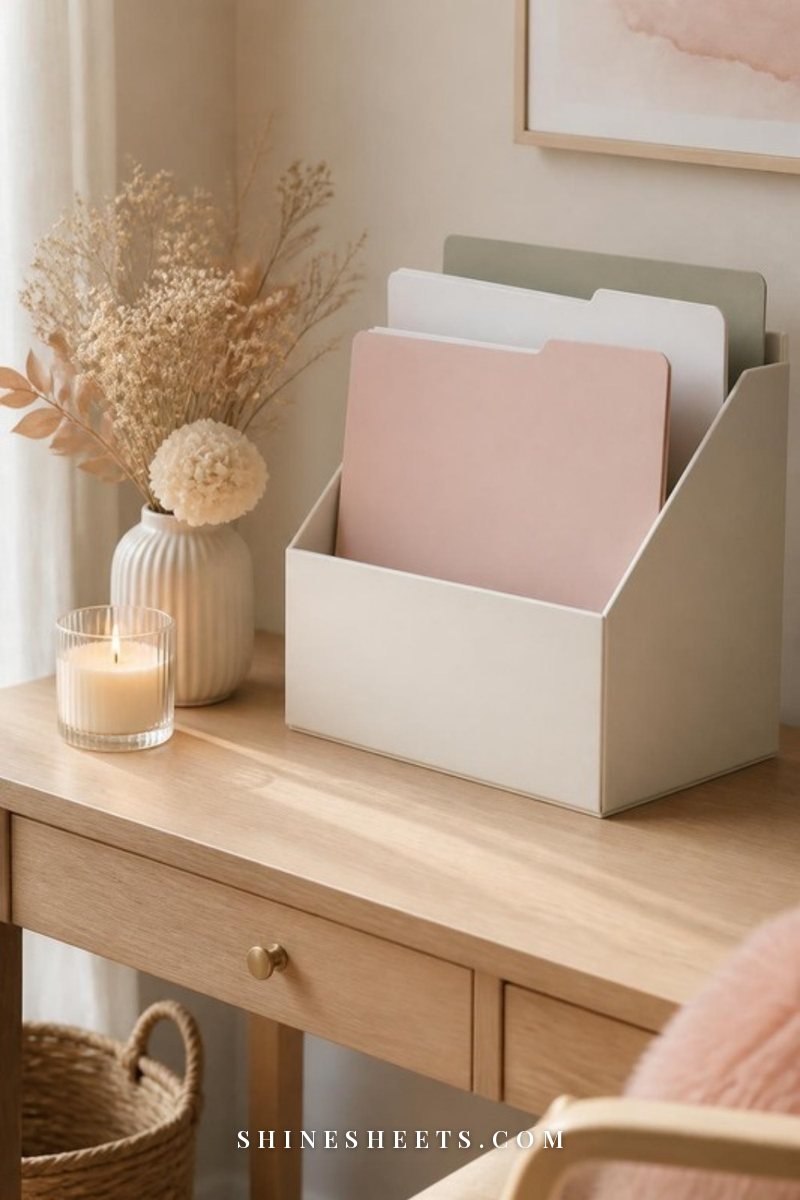
Paper storage doesn't have to look like an office supply aisle. When your system is pretty, you're more likely to use it, and you won't feel the urge to hide it in a closet where it gets forgotten. A few ideas I love:
- Matching boxes. A row of identical white or cream file boxes on a shelf looks calm and intentional, almost like books.
- Soft-colored folders. Blush, sage, baby blue or cream folders feel so much nicer to open than standard manila. Give each category its own color if that helps you find things faster.
- Woven baskets. A lidded woven basket can hold your filing folders in a living room or bedroom without looking like paperwork.
- A wall pocket or pegboard. Perfect for the action folder if desk space is tight, so it stays in sight.
- A dedicated paper corner. Even a small shelf with your inbox, action folder and shredder underneath creates a "paper station" that keeps everything in one place.
If your desk is the hub of your paper system, my desk organization ideas will help you make room for an inbox and action folder without the clutter creeping back.
Common Paperwork Mistakes To Avoid
Even with a great system, a few habits can quietly undo your progress. Watch out for these:
- Too many categories. If filing takes more than a few seconds per paper, simplify. Broad folders beat perfect folders.
- Keeping every statement forever. Most monthly statements are available online, so the paper copy usually isn't needed once you've checked it.
- Tossing sensitive papers in recycling. If it has account numbers or personal details, shred it.
- Mixing keepsakes with records. Sentimental papers make filing feel emotional. Keep them in their own box.
- Skipping the monthly reset. One missed month is fine. Three missed months is how the pile comes back. Put it on your calendar like any other appointment.
- Trying to fix ten years of paper in one day. Start with the inbox and action folder for new paper first. Tackle the backlog one box at a time, maybe 30 minutes each weekend.
Final Thoughts
Organizing paperwork isn't about having a perfect filing cabinet. It's about the small, steady relief of knowing where things are: the bill that's due, the warranty you need, the passport for that trip you've been dreaming about.
Start with one inbox and one action folder this week. Add the filing system when you're ready, and let the monthly reset carry you from there. Every paper you sort is one less thing quietly weighing on your mind, and that calm feeling is worth every minute.